Intro
As a boy of the 90’s, it’s impossible to not have a special affinity for ninjas. While these sneaky fighters always hold a cool factor, they were everywhere in those days, donning their agile skills across toys, games, and movies. Throughout grade school I must have been a ninja for halloween at least 3 times. So adamant about authenticity, I refused to wear shoes out trick or treating one of those years, and just as all the adults warned me, I caught a vicious cold. No matter, a day home sick from school just gave me more time to try and beat the latest Ninja Gaiden game for NES. Although I came very close, I don’t remember ever clearing any titles from the original trilogy. Even with the high difficulty I always had fun trying over and over again, urged on to see the stylish cutscenes, and sights of the next act. We didn’t need to beat our games back then. The simple graphics triggered the imagination, while precise gameplay was pushed to the limits with challenging level design. A formula so genuine to the unique merits of the medium, it never ages.
In homage to the 90’s ninja spirit, this study takes great influence from Ninja Gaiden, and games of its ilk. Jump, flip and slash into action as we cover player mechanics, enemy sprites, and tiled environments to develop a radical ninja platformer in 8-bit stylings.
Player Character
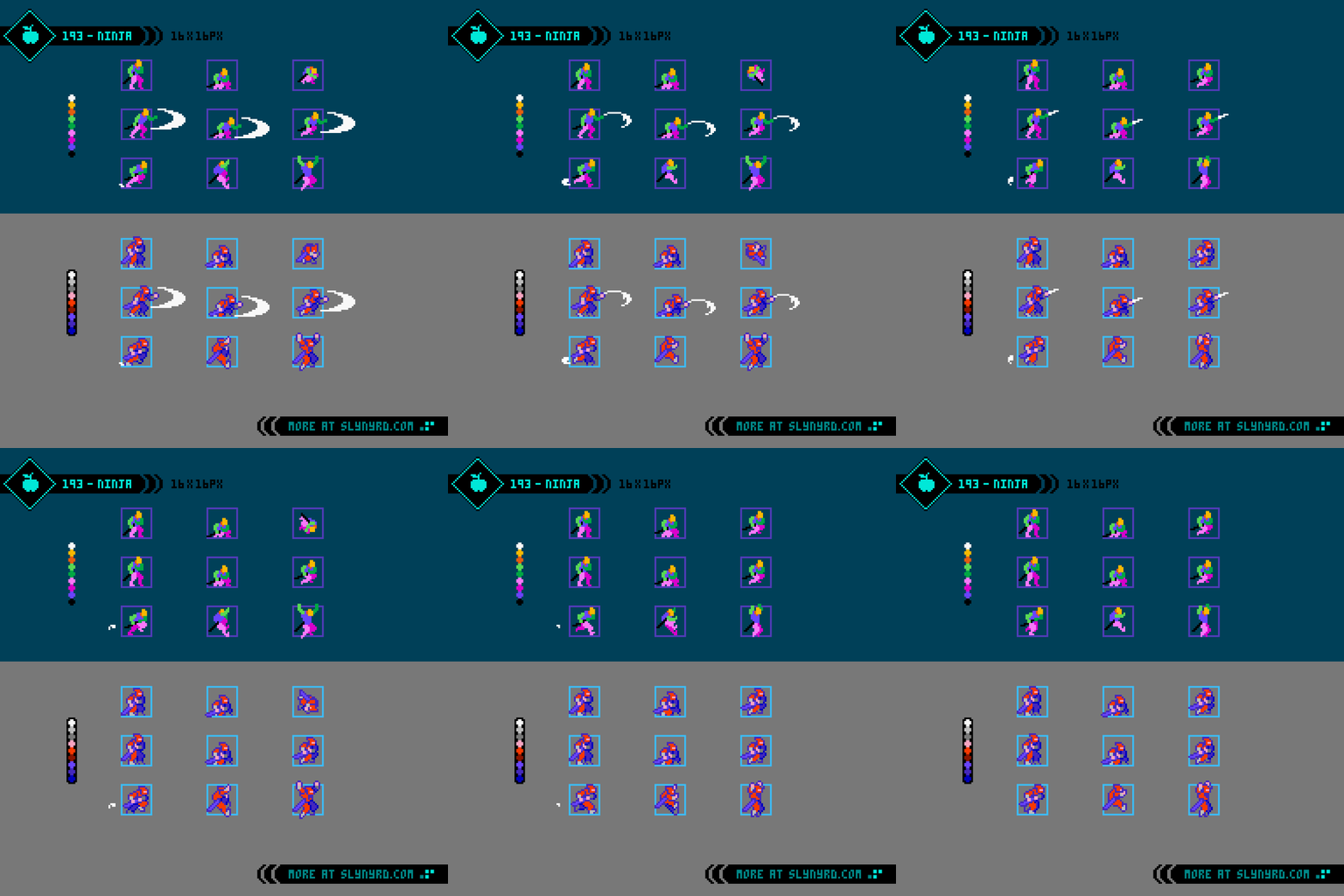
As for the creation process, I start with the usual dummy template where all animations are refined before adding character design details. The bright red ninja suit might go against the stealthy ethos of the ninja way, but it gives the perfect pop for a game protagonist. Btw, I’m using the NES palette for all assets in this feature, but not adhering exactly to hardware limitations.
Closely modeled after the skill set of Ryu Hyabusa, our ninja exhibits multiple modes of traversal, but is balanced with key limitations. Furthermore, he has a brisk run, but stays in place when attacking while standing or crouching. inertia can be carried into strikes in the form of the the jump slash, but the commitment of jumping carries more risk. This compromise makes encounters require more precision, especially when taking on combinations of enemies at once, rather than spamming slash while always on the move, a la Strider Hiryu.
In addition to running on the ground our ninja can climb up and down vertical surfaces, and monkey bar left and right on ceilings. Further variations in mobility can be expressed through the level design. For example, ice, mud, and water textures could effect your run and jump attributes. Only certain walls and ceilings could be moved along if a ladder or railing is there, while plain walls and ceilings could only be clung to. Moreover, slippery surfaces could disable wall and ceiling clinging altogether.
The standard jump is expressed with an acrobatic flipping animation, however, slashing while in the air makes him come out of the flip and hold an upright jump stance after the slash. Multiple slashes could be performed while airborne, time permitting.
Dummy Template
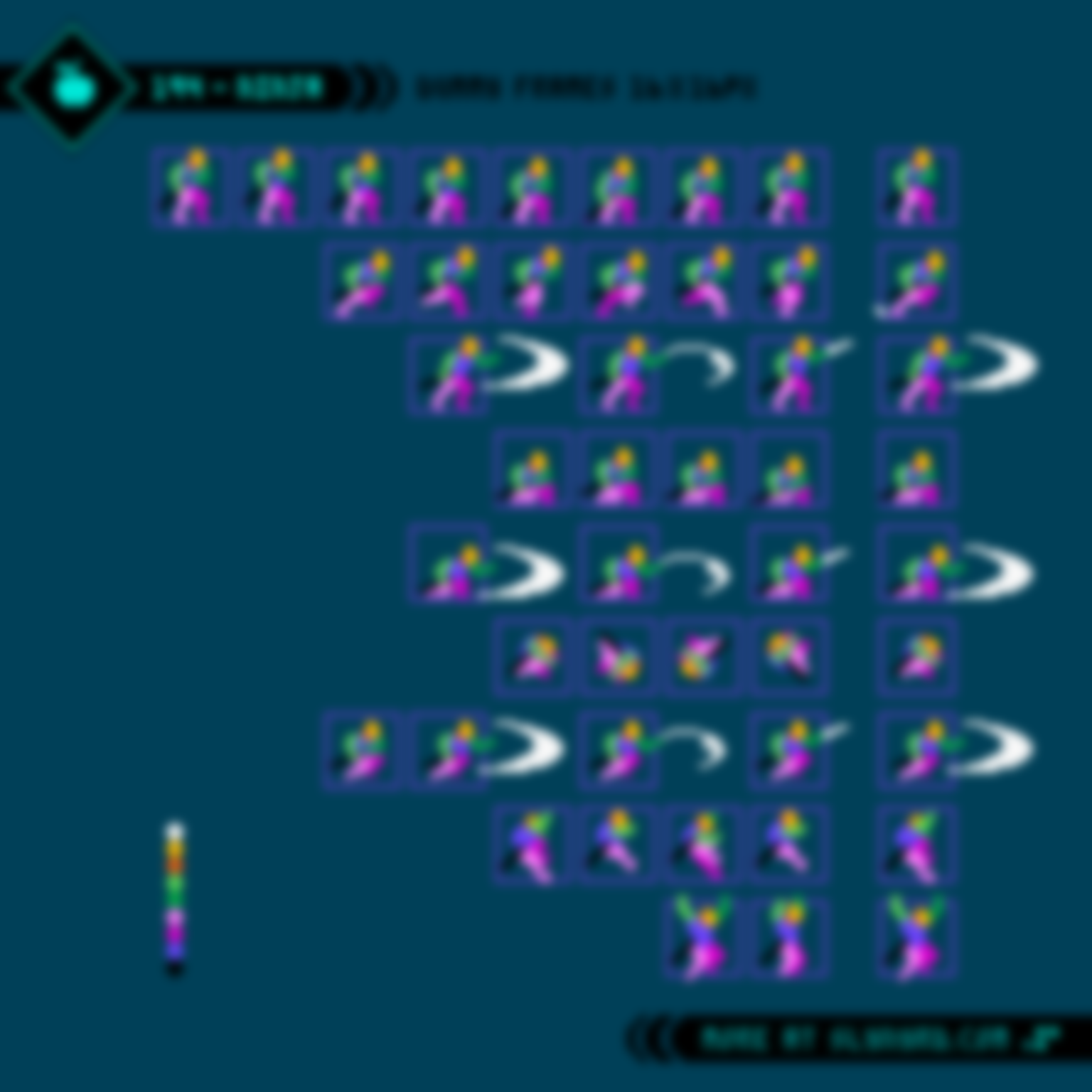
The full frame breakdown, and timing of all the ninja animations are described in Tutorial 194, available through Patreon subscription at the Pixel Insider, and above tiers. This is my first pay-walled mini tutorial. Since the start of my content creation, I’ve strove to make my educational materials as accessible as possible, and I will continue that tradition with all the fundamental designs of my Pixelblog features free to the public. However, with a decade of free content on the table, I think it’s reasonable to sprinkle a little extra for those who do generously support me through monetary means.
Going forward, I plan to pay-wall at least one tutorial per Pixelblog, accounting for about 1/4 of mini tutorials hereafter. I intend to make these add more clarity to the lesson without excluding key content, so the Pixelblogs will still be cohesive for the free audience.
As mentioned, these will be available through Patreon subscription. They can also be accessed in future Tutorial Archive Volumes from my Patreon shop. Alternatively, I will offer them through the donation page, or direct PayPal. Just let me know what you want, and I’ll hook you up.
Enemies
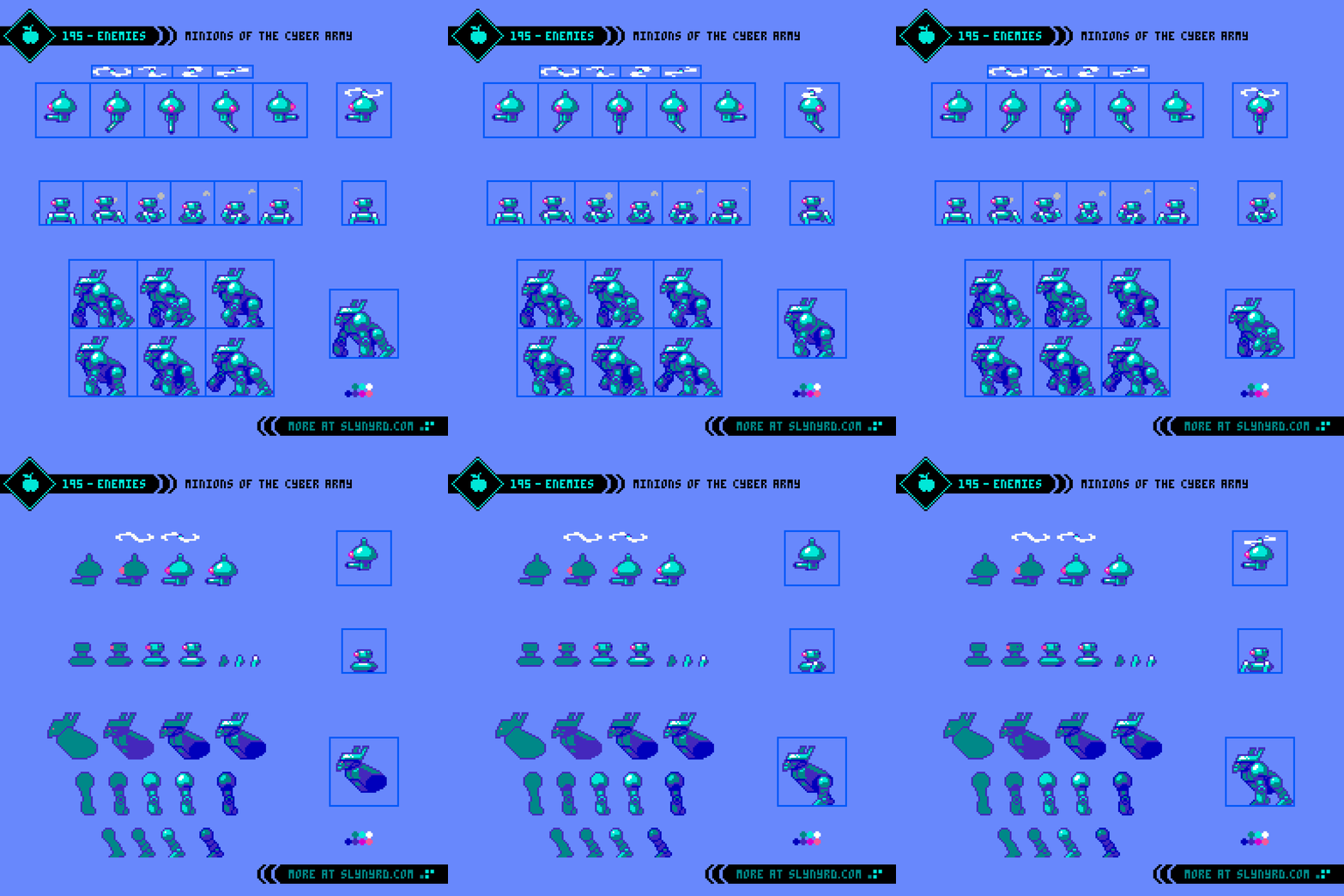
You must rid the city from the oppression of the Cyber Army! Here are a few minions you will encounter on your mission.
Heli-Turret: Flying enemy that has 5 directions to sweep its cannon across a 180 degree range. Difficulty of this enemy depends on movement patterns, placement and attributes of a projectile attack. Those pesky flying enemies are essential to testing your ninja skills.
Spider Tank: No surface is safe, this unit can stick to walls and ceilings. I had no particular attack in mind other than bumping into you. There challenge would come through the level design.
The legs have the same animation, with the rear leg being one step ahead in the sequence. I omitted the legs that are implied to be behind the body, as they weren’t visible enough, only adding noise to the motion.
Cyber Gorilla: A large slow enemy that would be somewhat spongy. Even without an attack other than bump damage, they could pose a threat in tight spacing, and in combination with other enemies, especially if you can’t easily jump over them.
As for the process, I used a realistic gorilla knuckle-walking reference. I used basic blobbed out body parts to get the motion refined before filling in the robotic details and shading. By combining the head and body into one part it gives a deliberate touch of stiffness to express the robotic quality. The back legs are one step ahead of the front arms in a similar 6 frame cycle.
Environment
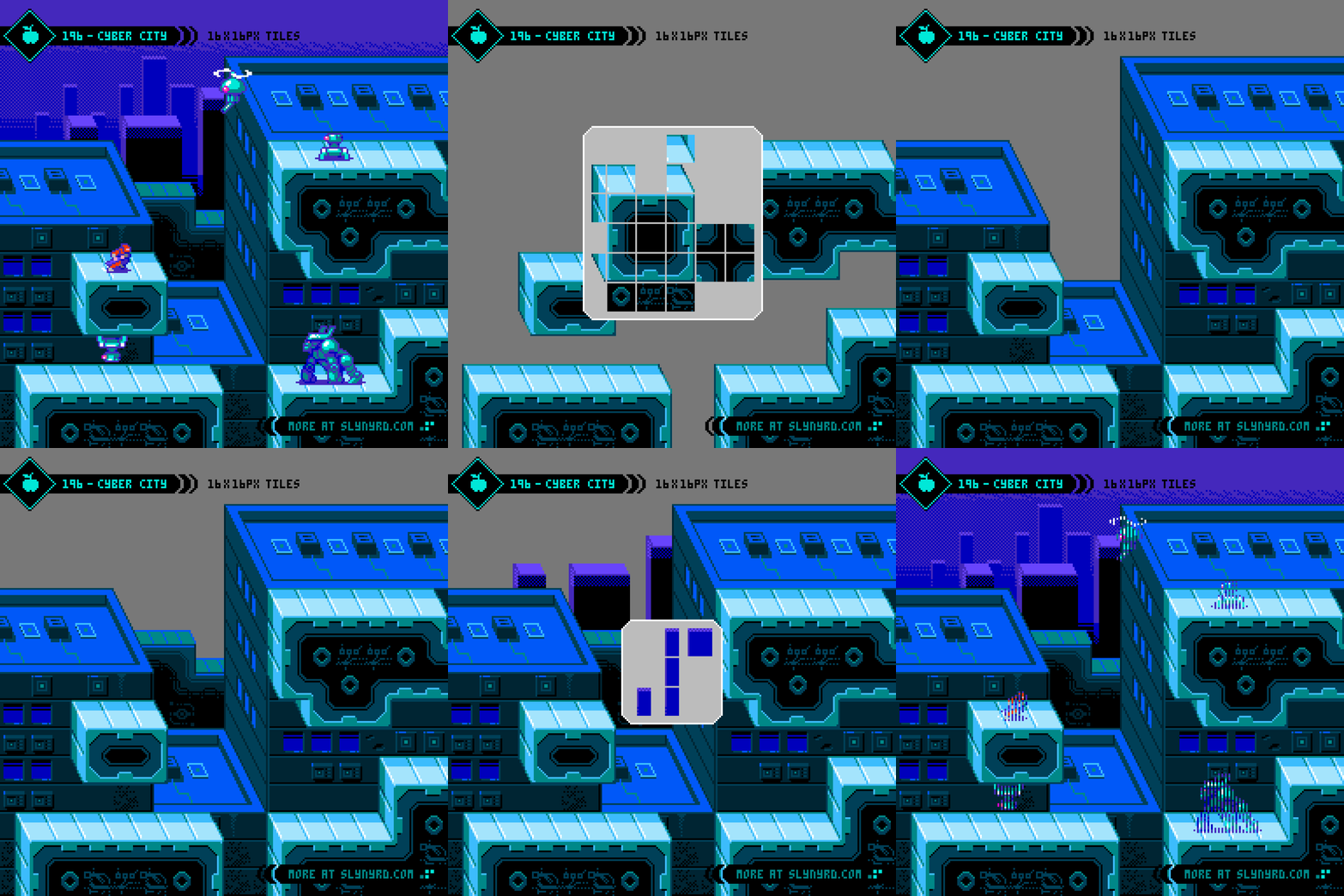
Stone, glass, and metal endlessly hum in the embrace of circuits and power nodes. The technologies that promised to uplift the sagging infrastructure came at the cost of freedom, only to bring new dangers, and disfunction.
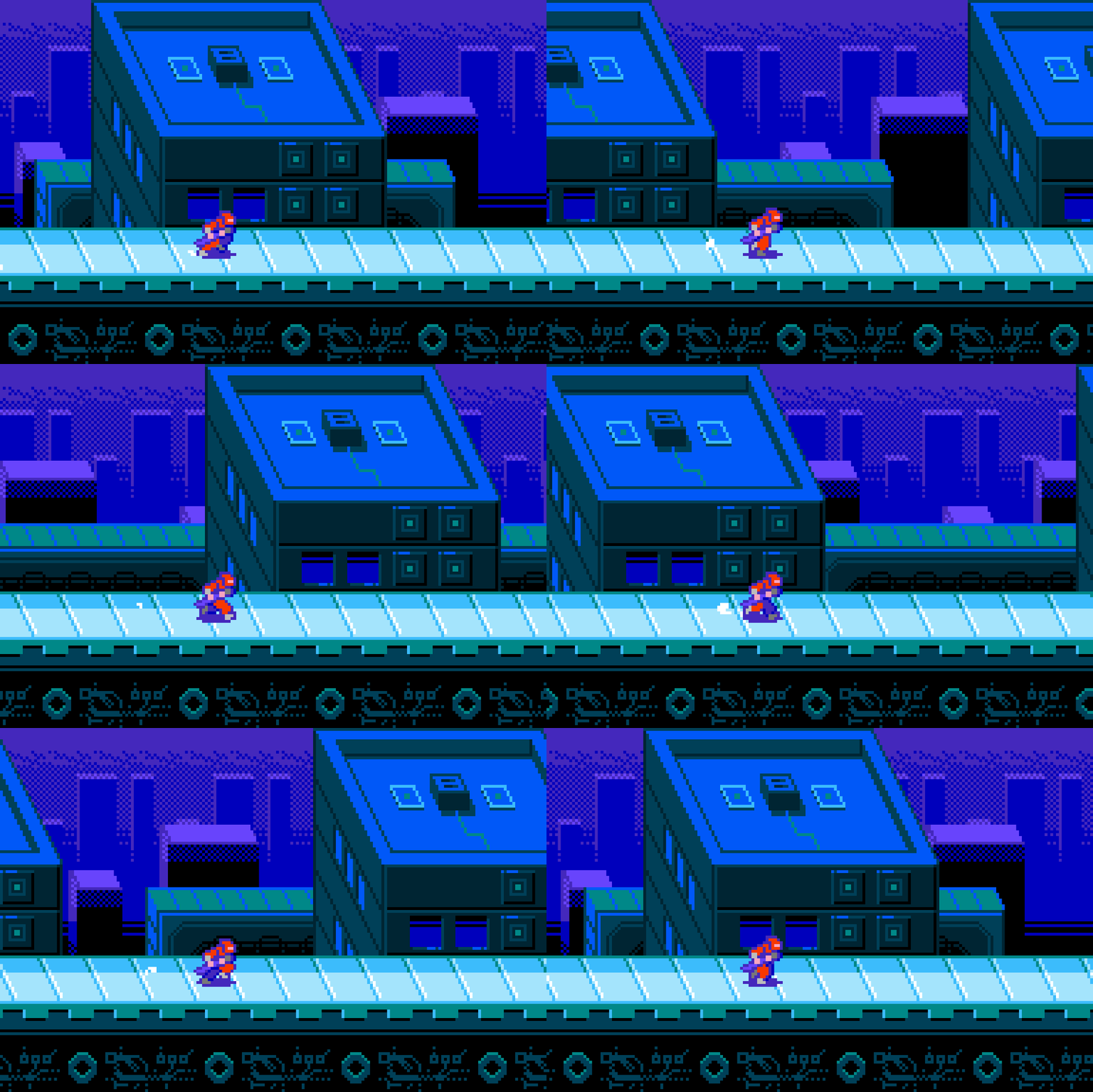
Using the cabinet projection, the x and y axis details are handled the same as straight side view tiles, however, the z axis is captured with oblique lines that all run parallel at the same angle. This requires a few extra tiles, but provides and interesting 3D illusion. The angle and direction of these pseudo perspective lines is up to your preference, but it’s best to use something that creates consistent pixel steps without jaggies. For example 45 degrees, or in my case, approximately 67.5 degrees measuring clockwise, which makes lines that go up two pixels and left one repeatedly.
Using 16x16px tiles I’ve constructed the city environment with 6 tile layers. Each layer can have independent scrolling speed for a parallax effect. The foreground platforms that the sprites set on are implied to be connected to the large buildings immediately behind, however, they could scroll slightly faster for a subtle 3D effect while still feeling attached to the buildings.
There’s a lot more potential here with variants to offer more detail, and versatility of the foreground layer, but this should provide a solid start to build a city environment from.
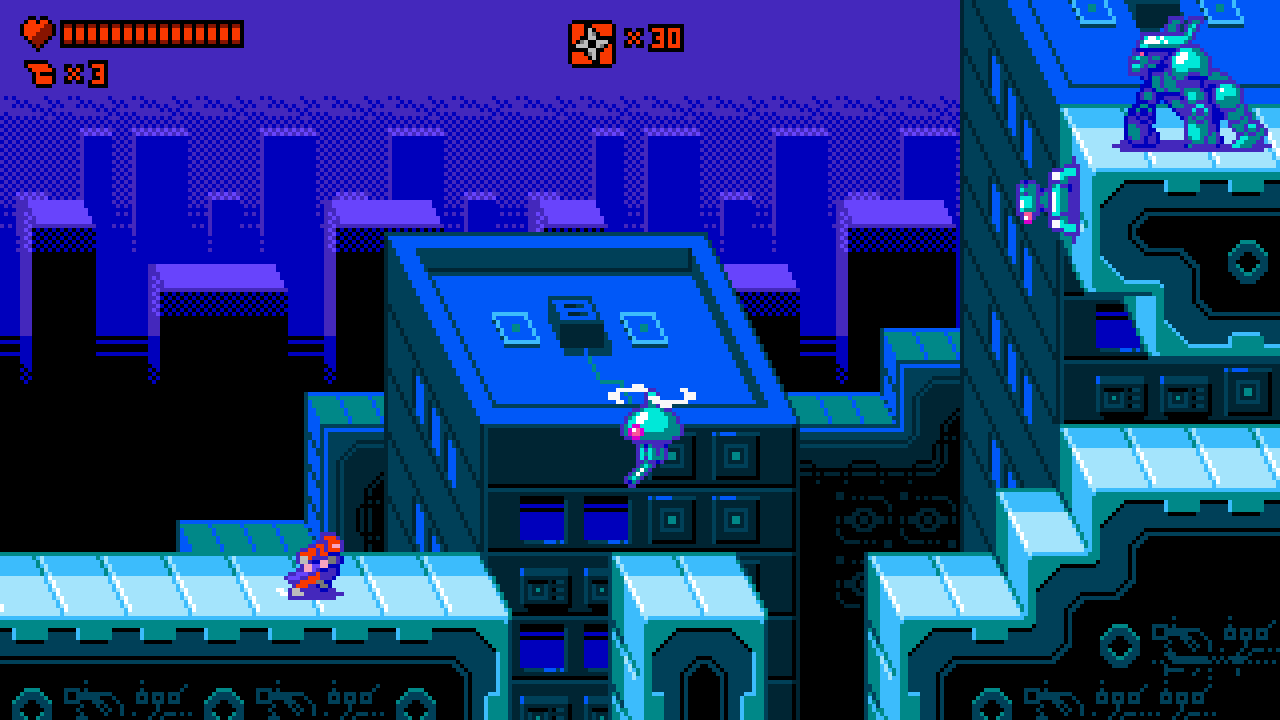
320×180px screen size mockup
Final Thoughts
Ninjas and robots are what I consider pure indulgent fun. The quick movements of the tiny ninja make a great match with the 8-bit pixel art style. I would love to see this sprite put in action with a real player controller. I hope to see someone do so while I’ll stick to the art. To expand on the concept, I would like to add FX animations such as explosions, blood, and dust/smoke. More character animations, and UI assets would be cool as well. Should I add on with future content, or are there other 8-bit classics you would like me to pull studies from? Let me know your thoughts in the comments below. Don’t forget, assets and source files from this feature are available in the links below.
Resources
Please consider supporting my work by becoming a Patron. Among many other rewards, Patrons can download the assets featured in my tutorials, and use them for commercial projects. But, most importantly, you allow me to continue making new content!
Many of my popular assets are also available to purchase from my digital shop
Alternatively, you can support me by making a one-time donation
Assets featured in this Pixelblog are available for commercial use in Ninja Platformer Asset Pack
Source files used in the making of this Pixelblog are available in Ninja Platformer Source Files
Get caught up on all my downloads
You made it to the end of the article. Thank you for reading!
-By Raymond Schlitter